What's new: automatic reminders, a camera check, and folder access
Send reminders on their own to people who haven't started or finished your study, check cameras and microphones once on the tutorial page, and give nested folders the access of the folder above.
A roundup of what we've shipped over the past two weeks, headlined by reminders that follow up for you.
Automatic reminders
Plenty of people don't answer the first invite. Some never open it, and some start the study on their phone and get pulled away halfway through. Following up meant checking who hadn't finished, building a new send for them, and remembering to do it again a few days later.
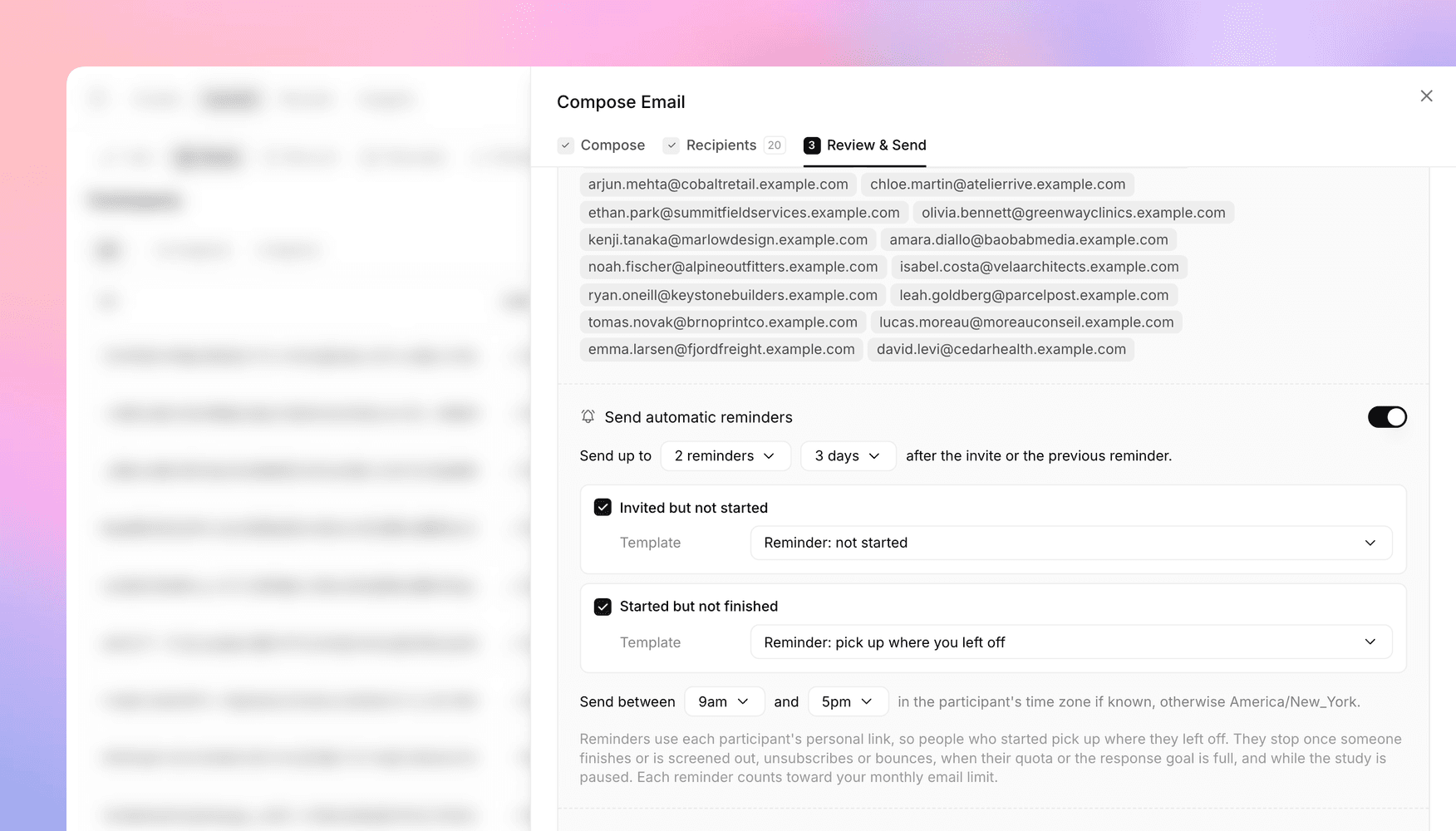
Now email invites can follow up on their own. Turn on Send automatic reminders when you review a send, and Versive reminds the people who haven't responded until they do. Say you invite 20 customers on a Monday. On Thursday, the ones who haven't started get a short nudge, and the ones who stopped halfway get a different message with a link back to where they left off.
You choose up to five reminders and how many days apart they go out, and who gets them: people who haven't started, people who started but didn't finish, or both. Each group has its own template, and you can pick a different one for each of the study's languages. Reminders only go out during a send window (9am to 5pm by default), in the participant's own time zone when you have it.
Reminders stop for each person once they finish, get screened out, or unsubscribe, or once their quota fills up, and nothing goes out while the study is paused. Send history shows what each send's reminders have done so far and when the next ones are due, with buttons to pause, resume, or stop them, and the participant table shows each person's next reminder date. Reminders count against your monthly email allowance, and if the ones that are due would go over it, they pause and the sender gets an email. The launch and sharing docs have every setting.
A camera check on the tutorial page
The tutorial page helps participants get set up before the first question. It can now check their camera too. In video studies, turn on the Camera check, and participants allow their camera and see a live preview of themselves before they start. The microphone test also lets participants pick which microphone the interview uses.
Each device is now checked once. When the tutorial page tests the microphone or the camera, the device check before the first question skips it, and a voice study with the microphone test on starts the interview as soon as participants continue. With either check on, participants can't continue until they allow that device. The builder only offers the checks a study can use, like the camera check in video studies, and marks a check that won't show after you change the study's mode.
Folder access that follows the folder above
In October, folders became easier to reorganize, including folders inside folders. Now a folder's access reaches everything inside it, at any depth. Set a Europe folder to Invite only, and every market folder inside it opens only to the people invited to Europe, however deep it sits.
A subfolder can be stricter than the folder above but never more open, and an invite on a subfolder gives that person their role there even if a folder above gives them another one. A folder's Share dialog now lists the people invited to the folders above, with where each invite comes from. Before a move would change who can open something, Versive tells you. Moving an item back to the top level never opens it to the rest of your organization, and you keep your own access to a folder you move there.
Full access on a folder now lets people in your organization share, move, and delete it, within what their organization role allows (Viewers only view), so set folders you want to protect to Can edit, Can view, or Invite only. Organization owners and admins can manage every folder, Invite only ones included. The folders docs walk through each rule.
Get in touch
We're always building. If you have any questions or feature requests, reach out to us at [email protected]. Want to get started? Sign up today and start running research in minutes.

Eric Li, Co-Founder, Versive