Introducing split tests: show each participant one version and compare the results
Randomly assign participants to one version of a concept, message, or price, then compare the results by arm, all from a single study.
Testing two versions of something used to mean running two studies: two links, two recruiting pushes, and a spreadsheet to line the results up afterward. With split tests, one study does the job. Each participant is randomly assigned to one version, answers only that version's questions, and you compare the results side by side.
How it works
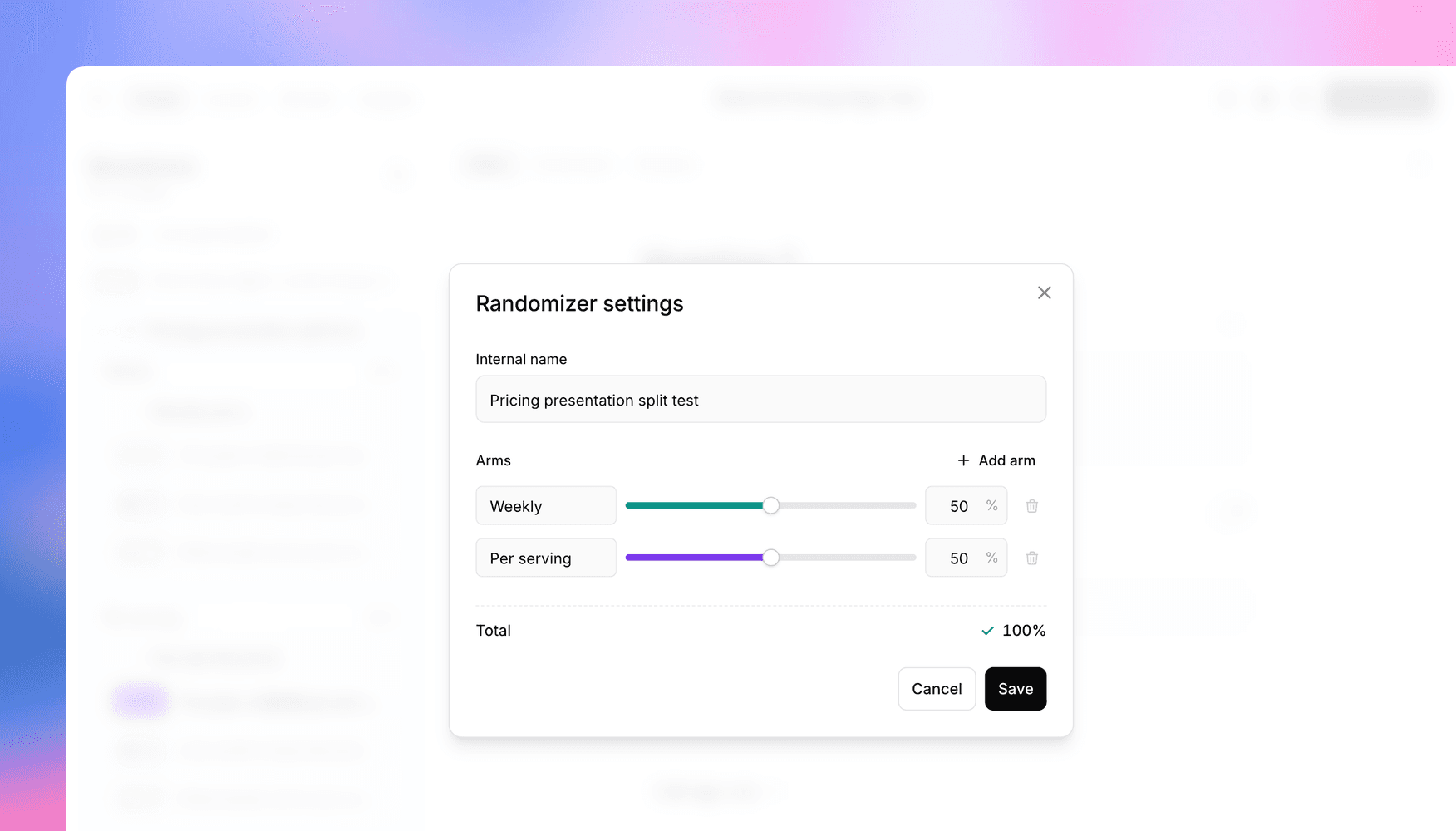
Split tests are built with a randomizer, a new element in the study builder. Choose Add randomizer from the add menu, drag the questions or question groups for each variant into its own arm, and set the weights in the randomizer's settings. A randomizer holds 2 to 12 arms, and weights are percentages that add up to 100, so you can run an even split or send most participants to your control.
Everything outside the randomizer is seen by everyone, so shared screeners go before it and shared closing questions go after. When you save, Versive checks the setup and flags empty arms, missing labels, or weights that don't add up.
A participant's arm is chosen once and stays put, even if they leave and resume later. Split tests work the same way in text and voice interviews.
Compare results by arm
Every response records which arm the participant saw:
- Filter Results and Insights by arm to compare variants directly.
- The grid view and transcripts label each response with its arm.
- CSV exports include the arm, so you can pivot the data in your own tools.
Split tests or randomized order?
Question groups already let you randomize the order of concepts, which shows every participant every concept in a shuffled sequence. That's the right design when you want participants to compare options against each other.
A split test shows each participant only one version, so their reaction isn't shaped by what they saw first. Use it when you want clean first impressions: two price presentations, two headlines, or two onboarding flows.
Let AI set it up
You don't have to build the structure by hand. Ask the AI assistant in the study editor for something like "a concept test where half of participants see concept A and half see concept B," and it creates the randomizer, the arms, and the questions in each. If you change your mind, ask it to remove the randomizer but keep the questions, and every arm's content moves back into the study for all participants.
The split tests docs cover the details.
Get in touch
We're continuing to build features that help you learn faster. If you have any questions or feature requests, reach out to us at [email protected]. Want to give it a try? Start a free trial and start running research in minutes.

Eric Li, Co-Founder, Versive