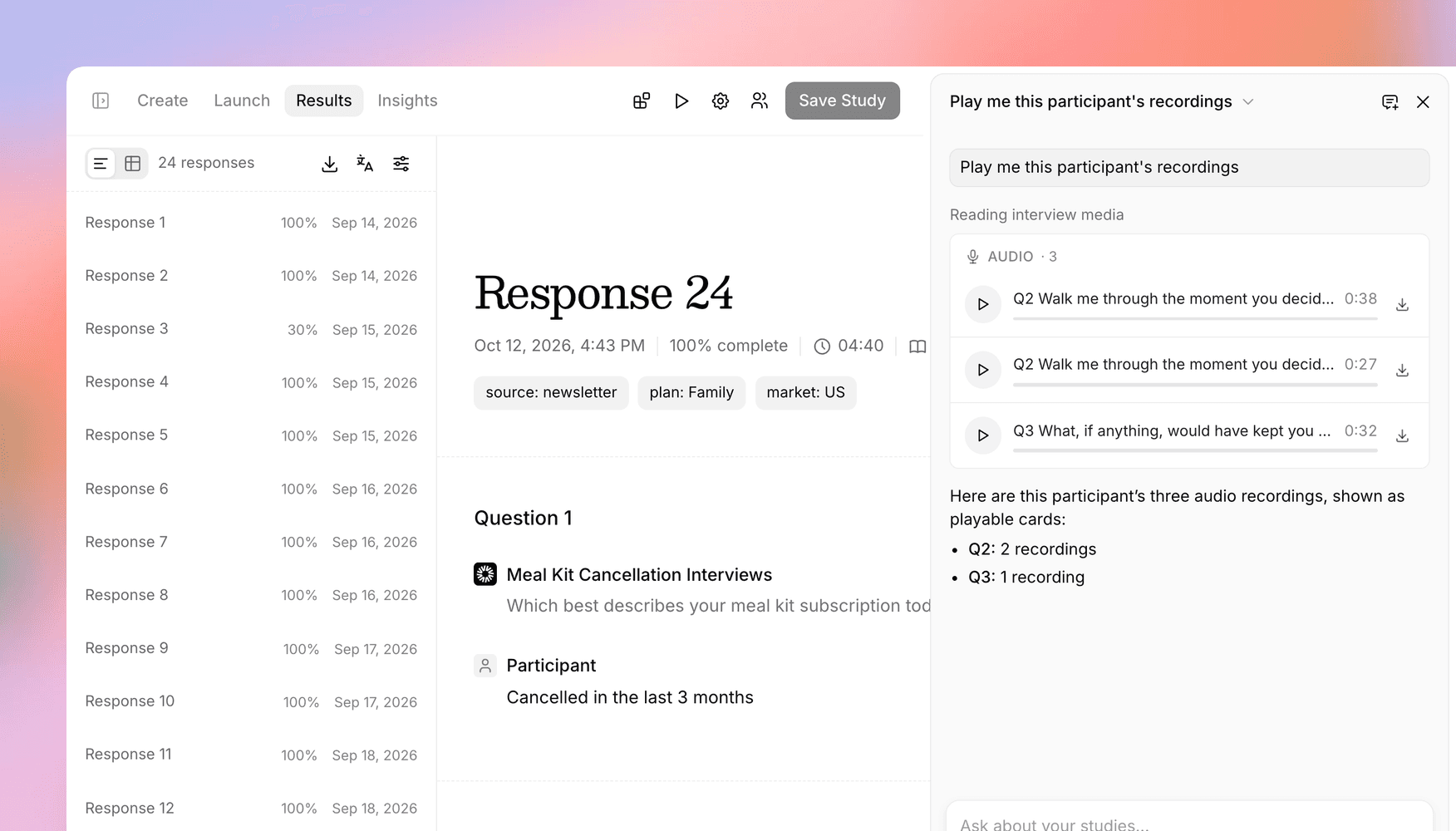
Pull up recordings as evidence with the Versive Assistant
Ask the Versive Assistant to find the participants who said something and play their recorded answers in the chat, break down results by segment, and connect Versive to Codex.
When you share research with your team, a quote helps. A participant explaining the problem in their own voice helps a lot more. Until now, getting those recordings meant scrolling through responses one by one to find the right answer and the right moment.
Now the Versive Assistant can do that for you. Ask it to find the evidence, and it pulls up the recordings right in the chat. It can also see the details that came with each response, like a participant's market or segment, so you can break down results the way your team thinks about them.
Find the moments that make your case
Describe what you're looking for, and the Assistant finds the participants who said it and brings back their recorded answers. For example:
"Find the participants who cancelled because of price, and pull up their recordings."
Each recording is labeled with the question it answers, so you can go straight to the part you need:
- Audio answers play right in the chat.
- Screen and camera recordings open in the same player you use on the transcript.
- Uploaded files, like photos from a media-upload question, show as thumbnails.
If you already have a response open on the Results tab, you can just ask for "their recordings." The Assistant only shows recordings from studies whose results you can see. Players are available during the conversation, so if you come back to a chat later, ask again to bring them back.
Break down results by segment
Responses often come with details about the participant: URL parameters like a market or panel, or columns from a contact list you uploaded, like email. The Assistant can now use them, so you can ask questions like "how does completion compare across markets?" or "which high-usage participants brought up pricing?"
The same details are available to AI apps connected through the Versive MCP server, like Claude and ChatGPT, once an owner or admin turns on Share participant metadata under Organization > Settings > AI apps. It's off by default, so your organization decides what leaves Versive. Participants' invite tokens are never shared with any app.
Recordings through the API
For teams building their own workflows, the API has a new endpoint that lists an interview's recordings and uploads, each with a download link. Links expire after 24 hours and stop working if the API key that created them is deactivated, so they're safe to hand to other tools. See the API reference for details. Support in the MCP server is coming next.
Connect from Codex
The MCP server now works with Codex, alongside Claude, ChatGPT, Cursor, and Claude Code. The MCP page in your dashboard has setup steps for each one, along with a few prompts to try once you're connected.
And when you're already looking at a study in Versive, Open in your agent on the Results and Insights tabs copies a prompt that summarizes the study, ready to paste into whichever agent you use.
Get in touch
We're continuing to build features that help you learn faster. If you have any questions or feature requests, reach out to us at [email protected]. Want to give it a try? Create a free account, no credit card required.

Eric Li, Co-Founder, Versive