Introducing MaxDiff: find out which features and messages matter most
Rank 6 to 30 features, claims, or messages by what participants care about. They pick the most and least important item in a few small sets, and Insights give every item a score and a preference share.
Ask people to rate ten features from 1 to 5 and the answers bunch up near the top. Ask them to rank all ten and the middle of the list gets shaky, because few people have a real opinion on whether a feature is sixth or seventh. Neither tells you which feature to build first or which claim belongs on the box.
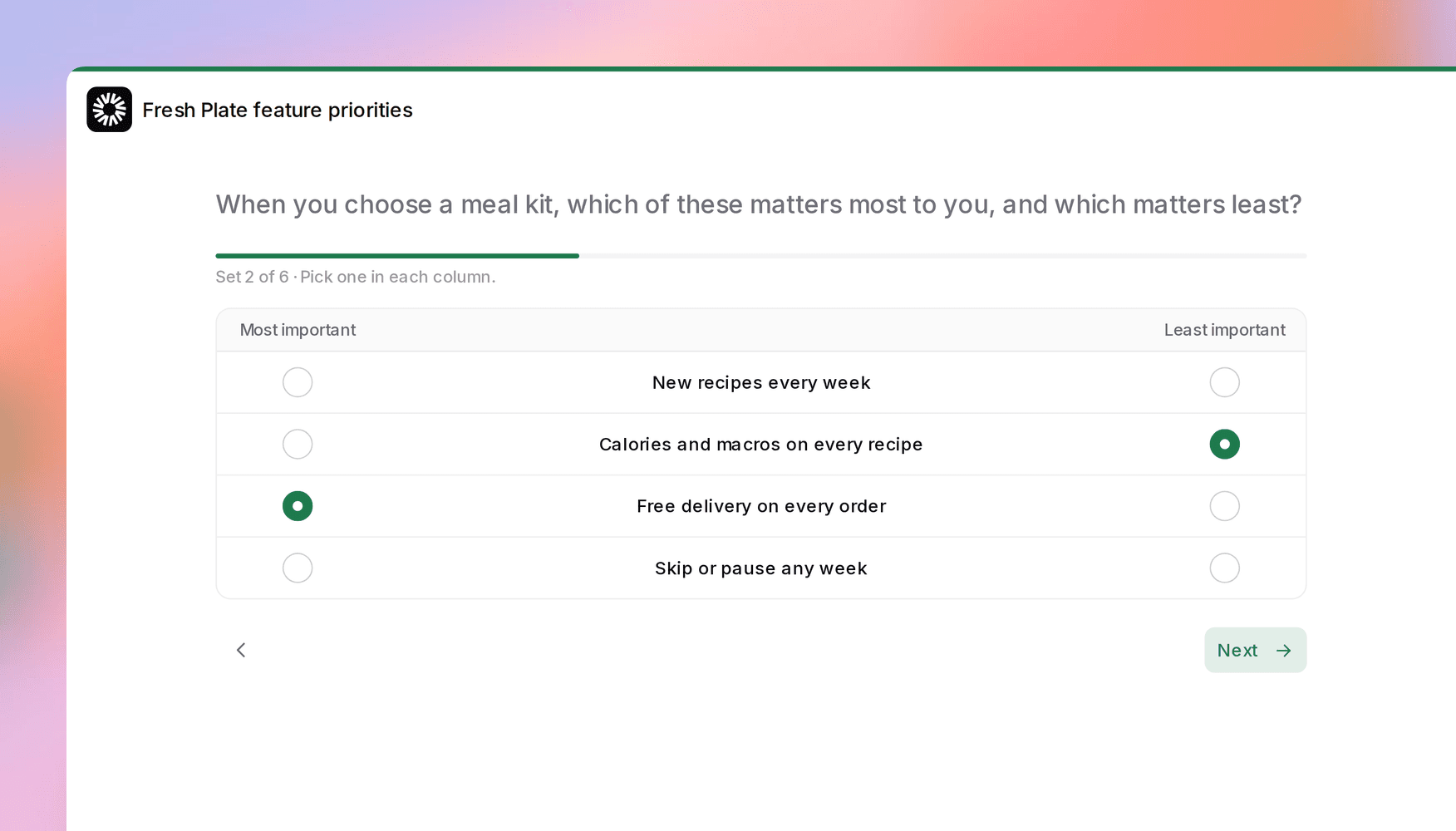
MaxDiff (best-worst scaling) is now a question type in Versive. You list the items you want to compare, and participants see them a few at a time. In each set they pick the one that matters most to them and the one that matters least. Small trade-offs like that are easy to answer honestly, and together they put every item in order, with a score you can compare.
How it works
Say you're planning a meal kit service with eight features on the table, from free delivery to recipes ready in 20 minutes. Add a MaxDiff question (under Choices & Sorting), list the eight features, and show four at a time. The card recommends enough sets for each item to come up about three times, which here is six short sets per participant.
Versive builds the sets for you in the editor. Every item appears about equally often, and pairs of items appear together as evenly as the counts allow. Regenerate sets gives you a fresh design whenever you want one. You can compare 6 to 30 items, three to five per set, and shuffle the order of the sets for each participant.
The columns read "Most important" and "Least important" by default, in the participant's language. Change them to fit the question, like "Most appealing" and "Least appealing" for ad claims.
Participants see one set per screen, with a column for each pick. An item can't be both best and worst, and they can step back to an earlier set before they submit. It fits on a phone screen, works in realtime voice interviews, and in a multi-language study each language gets translated labels on the same sets.
Changing the items, the number per set, or the number of sets builds new sets, and answers given on the old ones drop out of Insights and the CSV, so settle the list before you launch. MaxDiff is set up in the study editor: the Versive Assistant and MCP can reword the question but not change its items or sets.
What you get back
Insights rank every item in a bar chart and a table:
- Preference share: the chance an item would be picked as best if every item were shown at once. Shares add up to 100%, so you can see how far one item leads the rest, not just that it comes first.
- Picked best and Picked worst: how often participants chose each item on either side, out of the times it was shown.
- Net score: picked best minus picked worst, from -100 to 100, a quick read of how strongly people lean toward or away from an item.
With fewer than 50 complete participants, Insights mark the scores as directional, and when there are too few answers to estimate preference shares, they rank items by net score instead. Each transcript shows a participant's picks set by set and their own score per item. The CSV export has every best and worst pick plus each participant's score per item, so you can cut the results by segment in your own tools, and the PDF export includes the ranked table.
When to use it
Use MaxDiff when you have a list of separate things and need to know which ones matter most: features for a roadmap, benefits for a landing page, claims for packaging, messages for a campaign. If your product is a bundle of attributes and you want to know how people trade them off against each other, price included, conjoint analysis is the better fit.
In this first release, MaxDiff answers don't drive logic, quotas, or response filters, and AI personas skip the question in simulations. The question types docs have every setting.
Get in touch
We're continuing to build features that help you learn faster. If you have any questions or feature requests, reach out to us at [email protected]. Want to give it a try? Start a free trial and start running research in minutes.

Eric Li, Co-Founder, Versive