Introducing AI follow-ups: hear the reason behind every closed answer
Turn on an AI follow-up on a closed question, and the interviewer asks why after the participant answers, so the score and the reason stay together in your results.
A score tells you how someone feels, but not why. When a participant rates your onboarding 4 out of 10, the reason is the part you need. Until now, getting it meant adding an AI Question after the rating, with display logic so it only showed up for low scores, and then reading the score and the reason as two separate questions in your results.
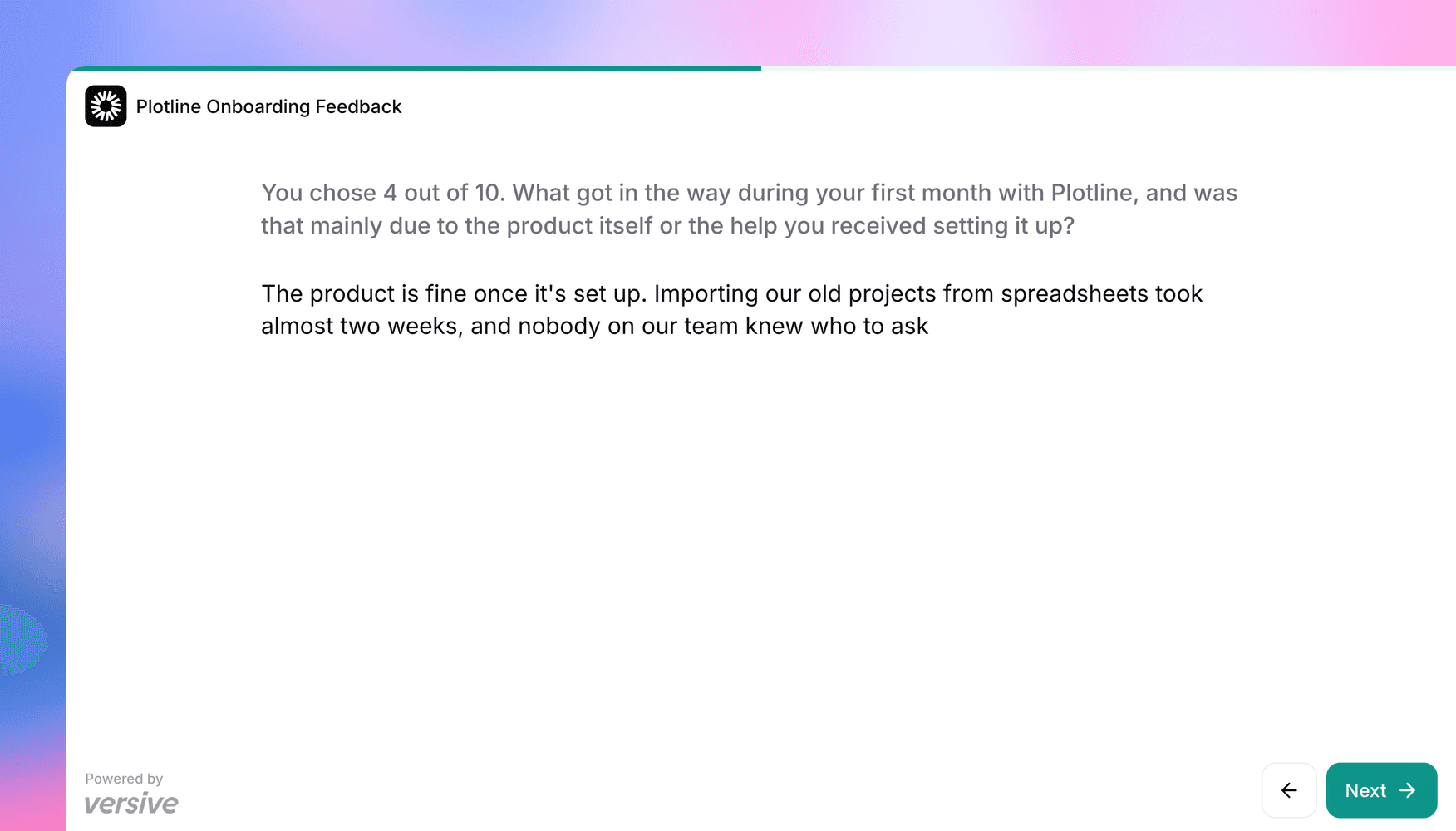
Now a closed question can ask why on its own. Turn on AI follow-up, and after the participant answers, the AI interviewer asks about that answer and then moves on to your next question.
Ask about the answers you care about
Say you ask "How likely are you to recommend us to a colleague?" and want to understand your detractors. Turn on AI follow-up on the NPS question, choose Only for some answers, and pick 0 through 6. Then tell the interviewer what to find out, like "Find out what got in the way during their first month, and whether it was the product itself or the help they got setting it up." A participant who answers 4 hears a follow-up about their score. A participant who answers 9 goes straight to the next question.
You can also cap the follow-ups at one, two, or three questions, or leave the cap off and let the interviewer decide when it has enough. On Ranking questions you pick positions instead of answers, such as whatever someone ranked first and last.
AI follow-ups work on Multiple Choice, Rating Scale, Star Rating, NPS, Ranking, Matrix Rating Scale, Matrix Selection, Matrix Ranking, and Matrix Allocation.
A follow-up that fits the interview
The follow-up takes the question's place on screen, and participants answer it the way they answer the rest of your study, typed or out loud. Your logic and quotas always use the closed answer, so a follow-up never changes where the participant goes next. If the answer screens someone out or ends the interview, there's no follow-up, and the same goes for an optional question they skip.
The reason next to the score
Follow-ups appear under the question in the transcript and the results grid, and the CSV export includes them in their own columns. Your charts, filters, and averages still count the closed answer only, so turning follow-ups on doesn't change your numbers.
On the Insights tab, a new Why participants answered this way card summarizes the follow-ups for each answer. For the NPS question above, you can read what your detractors had in common, with a count for each group, right under the score breakdown.
Setting it up
You'll find AI follow-up on the question card in the builder. The Versive Assistant, the API, and AI apps connected over MCP can turn it on too.
AI follow-ups are for AI-moderated studies, in text and voice. They aren't available in surveys or in one of the voice-to-voice options, and the builder tells you when a study's settings rule them out. The question types docs cover every setting.
Get in touch
We're continuing to build features that help you learn faster. If you have any questions or feature requests, reach out to us at [email protected]. Want to give it a try? Create a free account, no credit card required.

Eric Li, Co-Founder, Versive