Introducing question pages: ask several questions on one screen
Put short survey questions together on one page with a single Next button, so screeners, profile questions, and quick ratings take participants less time.
Versive shows one question at a time, which suits interviews and anything that needs a participant's full attention. For a run of quick questions, like a screener or a few profile questions, it means a lot of tapping Next. People who take surveys often expect those on one screen.
Now you can put them there. Question pages stack several questions on one screen, and participants answer them all with a single Next.
How it works
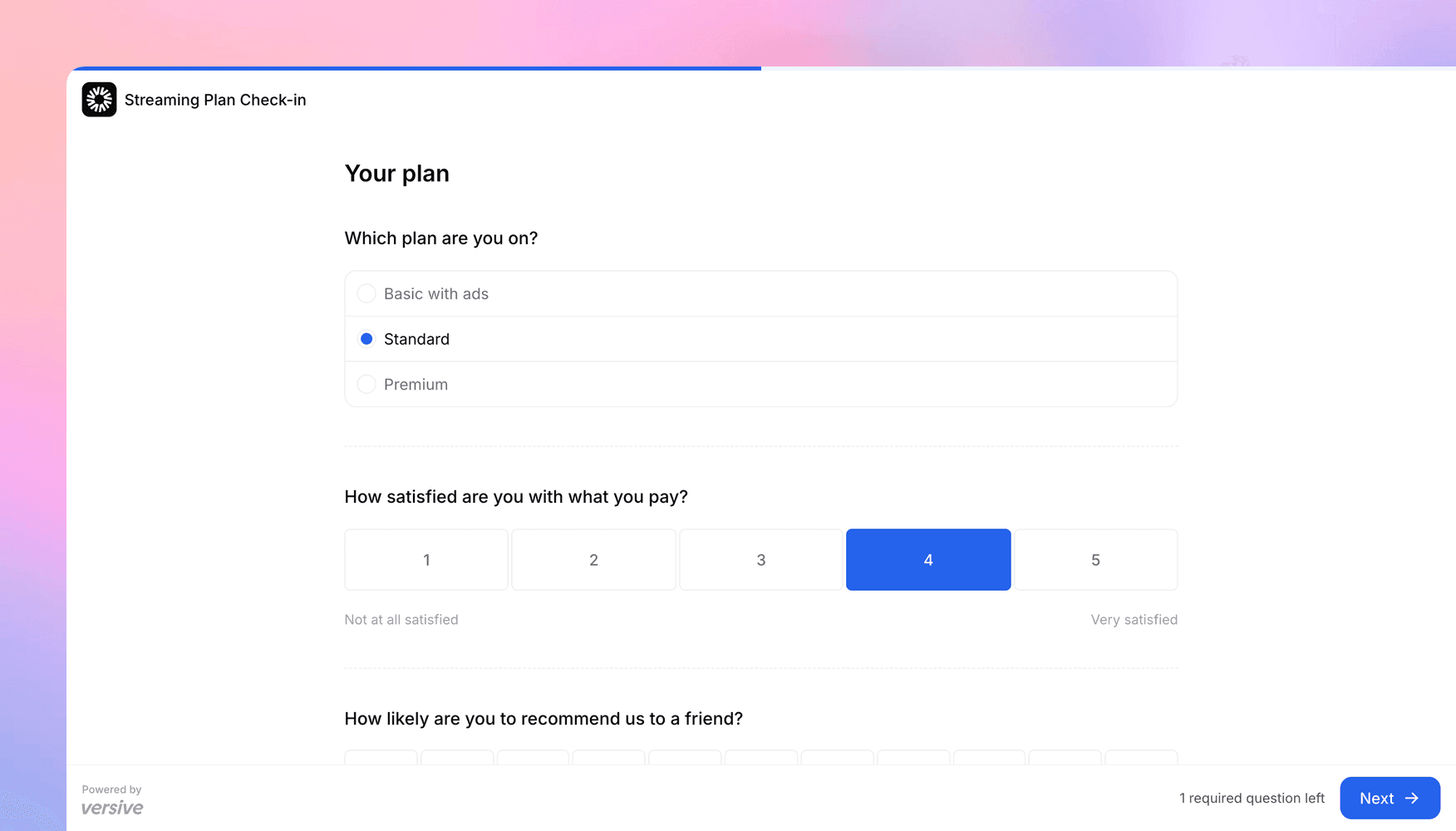
Choose Add page in the study builder's add menu, or turn on Show on one page in a question group's settings, then add questions to it as you would to any group. Say you're checking in with streaming subscribers. A page called "Your plan" can ask which plan they're on, how satisfied they are with what they pay, and how likely they are to recommend you, all on one screen. The page's name shows as its heading, translated with the rest of the study.
Participants see the questions in a compact layout that fits a phone. Matrices keep their grid, and images and videos show under their question. The footer counts the required questions left, and if someone selects Next with one unanswered, the page scrolls to it and points it out. If they go back to a page later, their answers are still there to change.
A page can hold most survey question types, from Multiple Choice and ratings to the matrices, Ranking, Allocation, and typed text answers. Questions that need the whole screen or a conversation, like prototype tasks, embedded websites, AI questions, and AI follow-ups, can't go on a page.
Logic and results
Branching runs when the participant submits the page. A screen-out rule on any of its answers still applies, and jumps go to the page, not to a question inside it. Display conditions on earlier answers decide which of the page's questions show, and the progress bar counts the page as one step.
Versive saves each answer on its own, so Results, Insights, exports, and transcripts look the same as they do for questions asked one at a time. In voice-to-voice studies, the interviewer still asks a page's questions one by one. The question types docs and the logic docs have the details.
Get in touch
We're continuing to build features that help you learn faster. If you have any questions or feature requests, reach out to us at [email protected]. Want to give it a try? Start a free trial and start running research in minutes.

Eric Li, Co-Founder, Versive