What's new: date questions, exclusive options, and more survey controls
A roundup of survey question improvements: a new Date question type, "None of the above" options for multi-select, dropdown multiple choice, one-selection-per-column matrix questions, character limits, and pivot-ready CSV exports.
A roundup of improvements to Versive's survey questions, headlined by a new question type for collecting dates you can analyze.
Date questions
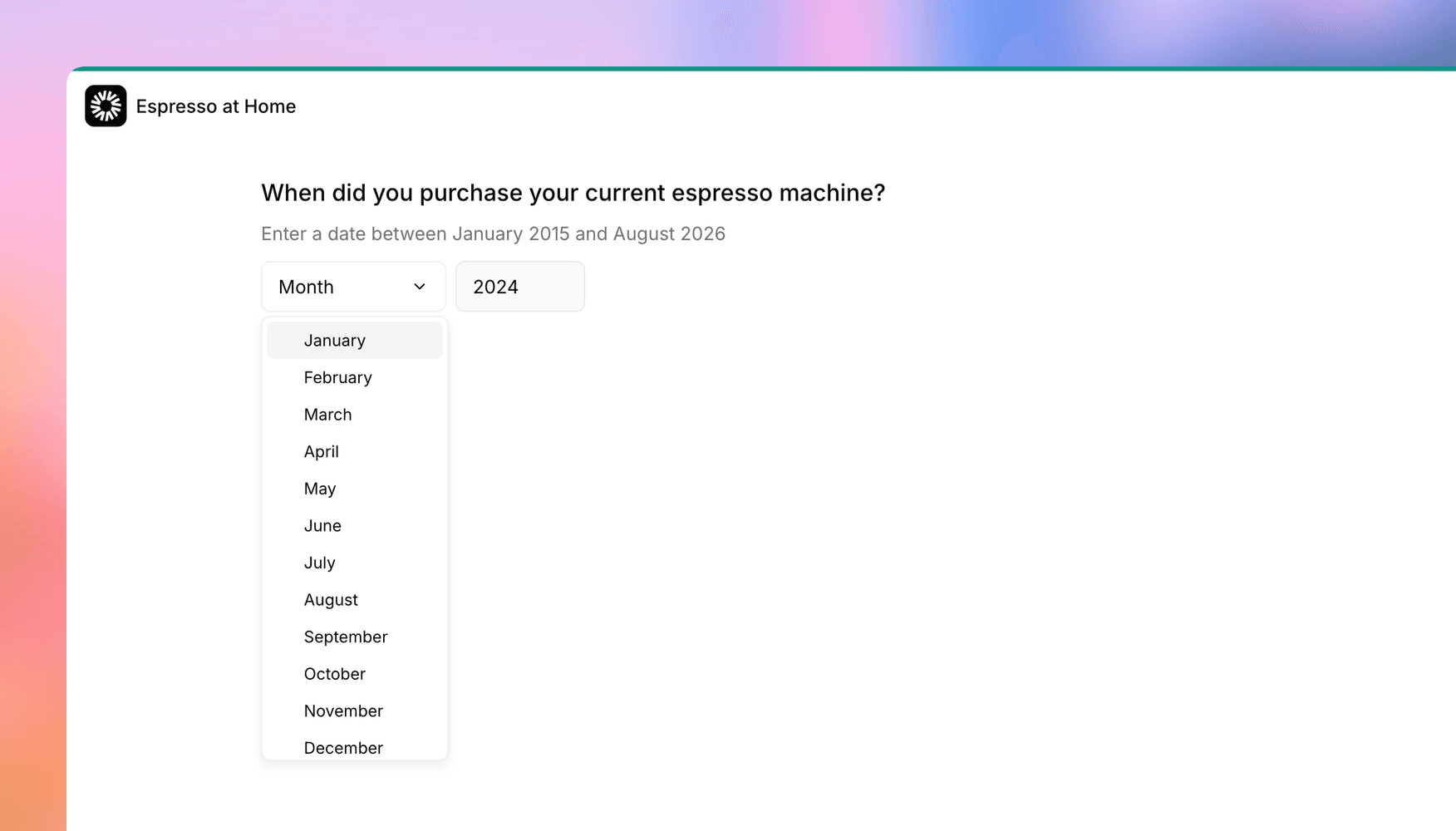
Ask "when did you last renew your contract?" in a free-text field and you'll get back "last spring," "03/04" (March 4th? April 3rd?), and everything in between. The new Date question type replaces that mess with structured dropdowns, so every answer comes back in the same format.
You control the precision: full date, month and year, or year only. You can also set a minimum and maximum date, and the dropdowns simply won't offer anything outside the window, so there's nothing to validate after the fact. Month names are localized for all 20 interview languages.
Behind the scenes, answers are stored as ISO dates, so transcripts, CSV exports, and the results grid show a consistent, analysis-ready format with no cleanup step.
Mark options as exclusive in multi-select
You can now mark any multi-select option as exclusive. When a participant picks it, their other selections clear, and picking any regular option clears the exclusive one. No more responses that claim both "None of the above" and three other answers.
It plays nicely with the rest of the question too: selecting an exclusive option also clears a free-text "Other" entry, and exclusive options remain selectable even when a max-selections limit has greyed out the rest.
Dropdown multiple choice
Single-select multiple-choice questions can now display as a dropdown instead of a radio list. For long option lists (think countries, industries, or job titles), this keeps the question compact instead of pushing everything else off the screen. Multi-select questions keep the checkbox list so participants can always see every selection at once.
One selection per column on matrix questions
Matrix rating scales have a new one selection per column setting: once a row uses a scale value, that value is unavailable to the other rows. It's the right tool when you want participants to differentiate, like assigning a distinct priority to each initiative, rather than rating everything a 5. An N/A option, if you've enabled one, stays available to every row. The builder also checks that the configuration is answerable before letting you turn it on, so participants can never get stuck.
Character limits for open text
Short Text and Open Text questions (and the "Other" field on multiple choice) now support an optional character limit, with a live counter so participants know where they stand. Teams asked for this one for compliance reasons: it's a simple way to discourage pasting long confidential passages into free-text fields.
Pivot-ready multi-select exports
Multi-select answers in CSV exports now fan out into one column per option, populated when the option was selected and blank when it wasn't, plus a column for free-text "Other" entries. That's the layout Excel pivot tables want, and it matches how matrix and ranking questions already export. Heads up if you have spreadsheets keyed to the old single combined column: they'll need a one-time re-map.
Get in touch
We're always building. If you have any questions or feature requests, reach out to us at [email protected]. Want to get started? Sign up today and start running research in minutes.

Eric Li, Co-Founder, Versive